Navigate to the document template editor.
Select the field.
Under options, enter a field alias*.
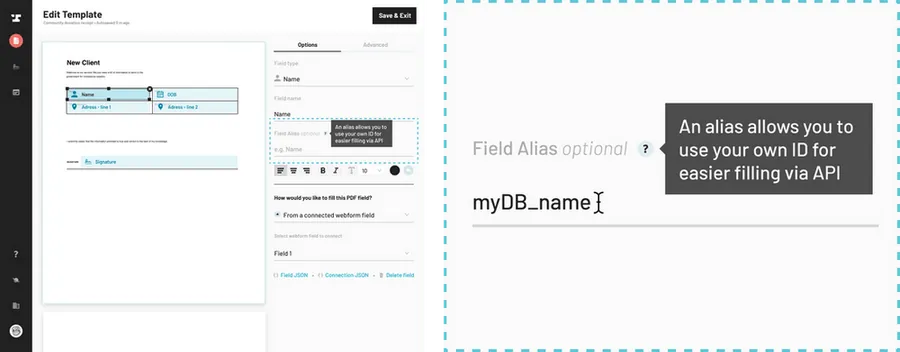
Setting aliases one field at a time works well for a single template. If you have a whole list of fields, or a library of documents to get onto the same names, you can upload a CSV of your field aliases and let Document AI apply them for you. If those names already live in your CRM, you can pull them from HubSpot instead. Either one requires the AI Pack or higher.
Back to Help Center