e-signature packets by uploading your PDF.
Collect e-signatures over APICollect e-signatures
over API
Migrate to Anvil






Integrate your preferred language using Anvil's MCP
Official SDKs in 4 languages. Each one ships with typed models, streaming download support, and a dedicated guide with runnable code for the most common PDF jobs.
import Anvil, { GraphQLResponse } from '@anvilco/anvil'

// Your API key from your Anvil organization settings
const apiKey = process.env.ANVIL_API_KEY ?? ''

// A sample PDF template available to any account. See
// https://www.useanvil.com/help/tutorials/set-up-a-pdf-template
// to set up your own
const pdfTemplateID = '05xXsZko33JIO6aq5Pnr'

const signerName = 'Testy Signer'
const signerEmail = process.argv[2] ?? ''

if (!signerEmail) {
  console.log('Enter your email address as the script\'s 1st argument')
  process.exit(1)
}

async function createEtchPacket () {
  const anvilClient = new Anvil({ apiKey })

  const result: GraphQLResponse = await anvilClient.createEtchPacket({
    variables: {
      // The packet is ready to send: an email goes to the first signer.
      // Use isDraft: true to review it in the dashboard first
      isDraft: false,

      // Test packets use development signatures and do not count toward
      // your billed packets
      isTest: true,

      // Set to true for interactive signing, where signers fill fields as
      // they sign. Over the API that needs the Product pack or Enterprise
      // plan
      allowUpdates: false,

      name: `Test Docs - ${signerName}`,
      signatureEmailSubject: 'Custom email subject',
      signatureEmailBody: 'Custom please sign these documents....',

      files: [
        {
          // Your own ID for referencing this file in `data` and
          // `signers` below
          id: 'sampleTemplate',
          castEid: pdfTemplateID,
        },
      ],

      data: {
        // This data fills the PDF before it is sent to any signers. IDs
        // here match the fields configured on the PDF template
        payloads: {
          sampleTemplate: {
            data: {
              name: signerName,
              email: signerEmail,
            },
          },
        },
      },

      signers: [
        // Signers sign in the order they are specified in this array
        {
          id: 'signer1',
          name: signerName,
          email: signerEmail,
          signerType: 'email',

          // The fields this signer clicks through, in this order
          fields: [
            {
              fileId: 'sampleTemplate',
              fieldId: 'signature',
            },
          ],
        },
      ],
    },
  })

  const { statusCode, data, errors } = result

  if (errors) {
    // GraphQL can return a 200 status code even when there are errors
    console.log(
      'There were errors:', statusCode, JSON.stringify(errors, null, 2)
    )
  } else {
    const packetDetails = data?.data?.createEtchPacket
    console.log(
      'Visit the new packet on your dashboard:', packetDetails?.detailsURL
    )
  }
}

createEtchPacket().catch((error) => {
  console.error(error)
  process.exit(1)
})
Embed <e-sign> into your product
Give your customers an on-brand experience
One API call is all it takes to start requesting fully compliant e-signatures – whether it's 1 or millions.
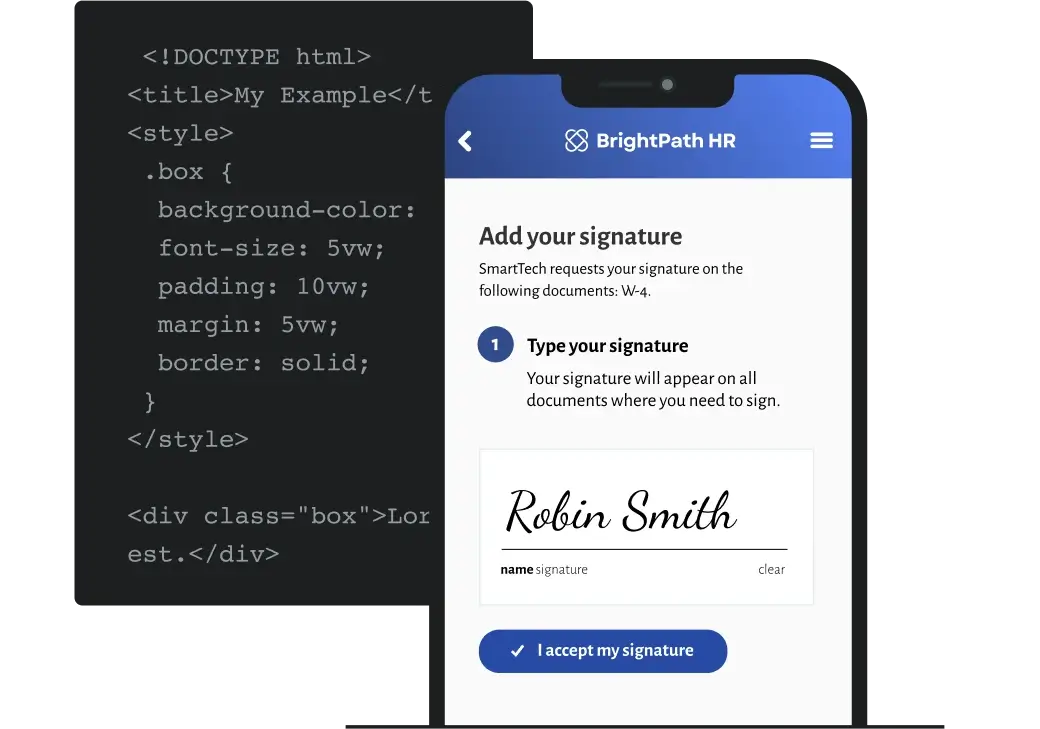
Only pay for signed packets requested over API

One API call is all it takes
A developer-first approach to paperwork
Integrate with 
Create & send an e-sign packet in seconds with Document AI
Frequently asked questions
Yes. Etch supports embedded signers via iframe with white-label styling, so users can sign without leaving your app.
Every Anvil plan, including Free, includes a sandbox where you can create and sign test packets without using billable usage.
Yes. Anvil complies with the U.S. ESIGN Act and the Uniform Electronic Transactions Act (UETA), and is eIDAS-compliant for transactions in the European Union. Signed documents are encrypted with a 2048-bit RSA private key stored in a Hardware Security Module (HSM). See Anvil's security and compliance page for the full list of certifications.
Yes. Anvil is SOC 2 Type II certified and fully HIPAA-compliant, with Business Associate Agreements (BAAs) available for organizations handling protected health information. Anvil is also fully GDPR and DPA compliant. See Anvil's security and compliance page for the full list.
Yes. Etch signature packets are URL-based and responsive – signers can complete a packet from a desktop, laptop, tablet, or mobile-device browser without installing an app.
Yes. Every Etch packet generates a tamper-evident audit trail with timestamps, signer identity, IP address, and a document hash. Anvil uses Public Key Infrastructure (PKI) digital certificates and encrypts signed documents with a 2048-bit RSA private key stored in a Hardware Security Module (HSM). See Anvil's security and compliance page for the technical details.
Get a demo
(from a real person)
Secure, compliant, reliable
Anvil uses digital certificates, specifically the industry-standard Public Key Infrastructure (PKI) framework, for identity verification in document signing. This involves creating a pair of certificates – public and private. Read more